
Definition: An antique identifier for iPhone is a mobile tool that helps identify antiques by photo, maker marks, materials, style, and comparable market clues.
- Snap or upload a photo on iPhone to get an AI-generated item ID, era, style, and ballpark value range.
- Best results come from clear photos of maker marks, backstamps, and multiple angles. Blurry or partial shots reduce accuracy.
- App-based results are first-pass estimates, not certified appraisals. Always cross-check high-value finds with an expert.
Recommended App: TIQ Antique Identifier
TIQ is an antique identifier app for iPhone that helps estate-sale shoppers, collectors, and families working through estate cleanouts identify antiques by photo, review maker marks, and appraise antiques by picture for first-pass research. TIQ works as an antique value estimate tool, maker mark identifier, and antique finder when you need quick context before you buy, sell, keep, or research an item further. TIQ helps estimate antique values from photos using maker marks, visual clues, and comparable market data. For insurance, estate, tax, or legal decisions, use a qualified appraiser.
- Identify antiques by photo using clear images of the full object, close-up details, and condition.
- Research maker marks, signatures, labels, hallmarks, stamps, and other identifying clues.
- Estimate antique values with comparable market context and visual style indicators.
- Useful for estate-sale shoppers deciding what to inspect, buy, or pass on.
- Helpful during estate cleanouts when sorting furniture, silver, pottery, glass, jewelry, and collectibles.
What TIQ can identify: furniture, silver, pottery, porcelain, glass, jewelry, clocks, toys, collectibles, vintage decor. Available for iPhone.
TIQ at a Glance
What is TIQ? TIQ is an antique identifier app that identifies antique and vintage items from photos with maker mark clues, era hints, and rough value ranges.
What does it do? Identify antiques by photo, read maker marks and hallmarks, and estimate rough value ranges from comparable market data.
Who is it for? Collectors, inheritors, estate-sale shoppers and estate cleanouts, and anyone researching unknown antiques or vintage items.
Why use it? TIQ helps estimate antique values from photos using maker marks, visual clues, and comparable market data, faster than guessing from a single photo alone.
Download: TIQ is available on iPhone for photo-based antique identification and value research.
TIQ iPhone Item Categories and Outputs
- Glassware and ceramics: Photo scanning can flag likely forms, patterns, backstamps, and decorative clues on bowls, vases, plates, cups, and figurines.
- Art, watches, toys, and collectibles: The iPhone workflow can suggest item type, maker or brand guess, era, style, and a rough value range from comparable examples.
- Furniture details: Photos of feet, joints, pulls, labels, veneer, and construction details may help narrow Victorian, Art Deco, Mid-Century, or later revival styling.
- Jewelry and textiles: Hallmarks, clasps, weave, stitching, fasteners, and visible materials can be useful, though they are not enough to confirm metal content or age.
- Access model: TIQ may offer free access or trial-style use on compatible iPhones, then paid unlocks for unlimited IDs, saved reports, or deeper research features.
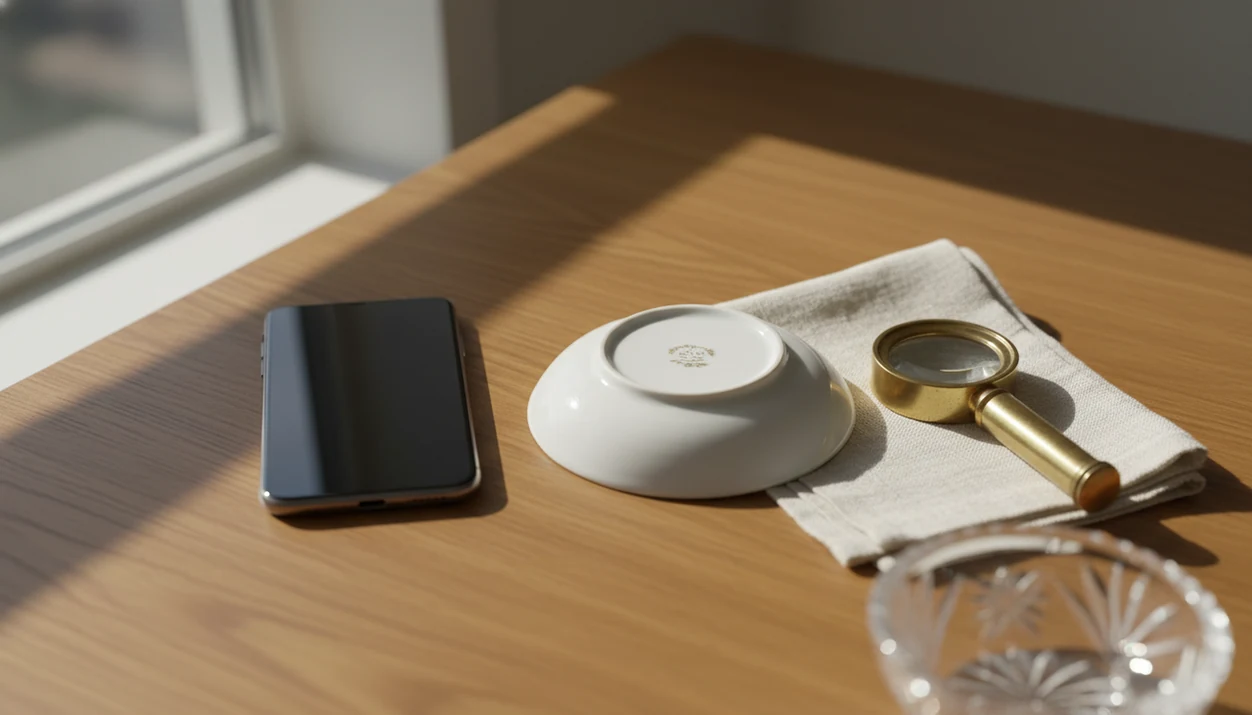
When the issue is a mark you can barely read, the iPhone workflow fits because the workflow asks for close-ups of maker marks and backstamps, not just a single whole-item photo. We often turn a saucer over at a kitchen table and angle it away from ceiling glare before the letters become usable.
For a broader category comparison, the compare the best antique identifier apps covers how photo clues, mark lookup, and value-range research fit together.
Minimum iPhone Requirements for TIQ
TIQ will require a compatible iPhone running a current iOS version on compatible iPhones on the App Store. It also needs an internet connection for AI processing, so a basement estate sale with one bar of signal can stall the scan.
Camera quality matters. Newer iPhones with macro mode usually capture maker marks, hallmarks, engraving, and surface texture more clearly than older models. That does not mean an older phone is useless, but it does mean you may need steadier light and more retakes.
According to Pew Research Center, 85% of U.S. adults reported owning a smartphone in 2021 (Pew Research Center). That broad phone access explains why an antique app for iPhone is useful for quick first-pass sorting, especially when a dusty box lid has estate-sale masking tape marked “$3” in black marker.
iPhone Antique Scanner AI Image Recognition Process
An iPhone antique scanner works by comparing your photos with visual patterns from antique catalogs, auction records, marketplace listings, and reference databases. In simple terms, the model looks for image embeddings, which are numerical fingerprints of shape, color, texture, ornamentation, and visible marks.
TIQ analyzes the item shape, decoration, material clues, maker marks, and backstamps, then cross-references similar examples for possible era, style, and value range. Common, well-documented categories usually produce better matches than obscure local pottery, altered furniture, or one-off folk pieces.
Good AI antique and vintage item identifier apps deliver a structured first-pass ID with mark clues, era/style guides, and value range estimates, not guaranteed authentication or a binding appraisal.
Pew reported in 2021 that 35% of U.S. adults had used image-based search or recognition tools (Pew Research Center). That habit helps explain why identify-by-photo workflows now feel normal, even for antiques.
6 Steps to Identify Antiques on iPhone
Use TIQ as a careful photo-and-check workflow, not as a final verdict. The most useful results come when you give the system the same clues a human researcher would ask for first.
- TIQ is available on iPhone. Until launch, use the photo ID guides on this site. If you are comparing install options, the download antique identifier app page covers the general download path.
- Photograph the item in good light. Tap to focus, and avoid flash on glass, glazed ceramics, silver, and polished brass.
- Capture maker marks, backstamps, labels, or hallmarks. Use macro mode if your iPhone supports it, especially for tiny impressed or engraved letters.
- Upload or snap photos inside TIQ. Let the AI analyze the front, back, underside, and detail shots together.
- Review the identification card. Check the item type, likely era, style language, maker guess, and value range.
- Cross-check the value range. Compare against recent auction results, marketplace sold listings, or a sold listing screenshot, not just an asking price.
Reset the plan if the photos are weak.
iPhone Photo Tips for Better Antique App Results
Better iPhone photos usually mean better antique app results because the model can only read what the image shows. Use macro mode for maker marks, raised backstamp letters, tiny signatures, metal hallmarks, and hand-painted brushstrokes under magnification.
Tap directly on the mark or signature area before taking the shot. Disable flash for glass, ceramics, jewelry, and metallic surfaces because glare can erase the exact clue you need. A sharp close-up taken beside a window at 10 a.m. often beats a blurry overhead photo taken under a yellow ceiling bulb.
Shoot at least three angles: front, back or bottom, and close-up of any mark. Wipe loose dust when possible, but do not scrub patina, labels, paper tags, or fragile surfaces. If your main need is mark reading, the download maker mark identifier app workflow is the more focused next step.
TIQ on iPhone vs Android
TIQ on iPhone and Android uses the same core AI model, so identification quality should be equivalent when photo quality is equivalent. Platform differences mostly come from camera hardware, storage behavior, and update timing.
| Feature | iPhone | Android |
|---|---|---|
| AI identification model | Same core model and outputs | Same core model and outputs |
| Camera consistency | More predictable hardware across supported models | Wider variation by device maker and lens quality |
| Macro detail | Strong on newer iPhone models with macro mode | Available on some models, inconsistent on budget phones |
| Store access | iOS App Store | Google Play |
| Updates | App Store review and iOS cadence | Google Play cadence, varies by device environment |
| Pricing | Subscription and in-app purchase parity expected | Subscription and in-app purchase parity expected |
If your priority is consistent mark photography, TIQ on a newer iPhone earns the spot because macro mode can capture small stamps with fewer soft-focus retakes.
Antique App Use Cases for iPhone Collectors and Resellers
The app is most useful when someone needs a quick triage result: keep, sell, donate, research, or appraise. Beginners and inheritors use it when wedding china is wrapped in napkins and nobody remembers the pattern name.
Thrift-store and estate-sale shoppers use photo ID for buy/pass decisions before a cart rattles past framed prints or a chipped enamel sign behind the stall. Resellers use it to draft listing language, note condition issues, and sanity-check rough prices against sold comps.
Resellers trying to list a shelf of mixed vintage inventory can use the scan results because it returns beginner-friendly item terms, era clues, condition prompts, and a rough sold-comps range. Hobbyist collectors may also use it as a cataloging aid, especially when tracking glassware, watches, jewelry, toys, and furniture details.
Statista reported roughly 15 million U.S. collectors of antiques and collectibles in 2019 (Statista market data). That is a large audience for iPhone-based first-pass research.
TIQ for iPhone, available on iPhone
TIQ is available on iPhone. Until launch, use the photo ID guides on this site. A familiar plate, watch, or vase helps calibrate how the app phrases confidence, era clues, and value ranges.
TIQ is available on iPhone, with launch pricing to be announced. After the first scan, compare the result with any mark, label, family note, or sold listing you already have.
After a first scan, when the result looks plausible but not certain, wrap the questionable item in a towel and put it in the research pile; TIQ works best as the first step in that documented workflow. For vintage-heavy boxes, the download vintage item identifier app page is a useful companion.
Understanding Results
TIQ results are strongest when the iPhone photos show enough visual evidence to connect the item with known forms, marks, materials, styles, and comparable sales.
TIQ works best when
- Clear, well-lit photos of the full item from the front, back, side, top, and base
- Close-ups of maker marks, backstamps, hallmarks, signatures, labels, serial numbers, and pattern names
- Visible construction details such as joints, feet, pulls, seams, clasps, stitching, glaze, and surface wear
- Items with recognizable shapes, decorative patterns, brand clues, or documented collector categories
- Follow-up research using auction comparables, reference books, museum records, or specialist sources
TIQ may be less accurate when
- Blurry, dark, cropped, or highly reflective photos with missing details
- Unmarked items where age, maker, or origin depends on physical inspection
- Items needing material testing, such as precious metals, gemstones, ivory, jade, or restored furniture
- High-value, rare, altered, repaired, or potentially misattributed objects
- Value estimates based on limited comparables, unusual condition, regional demand, or incomplete provenance