
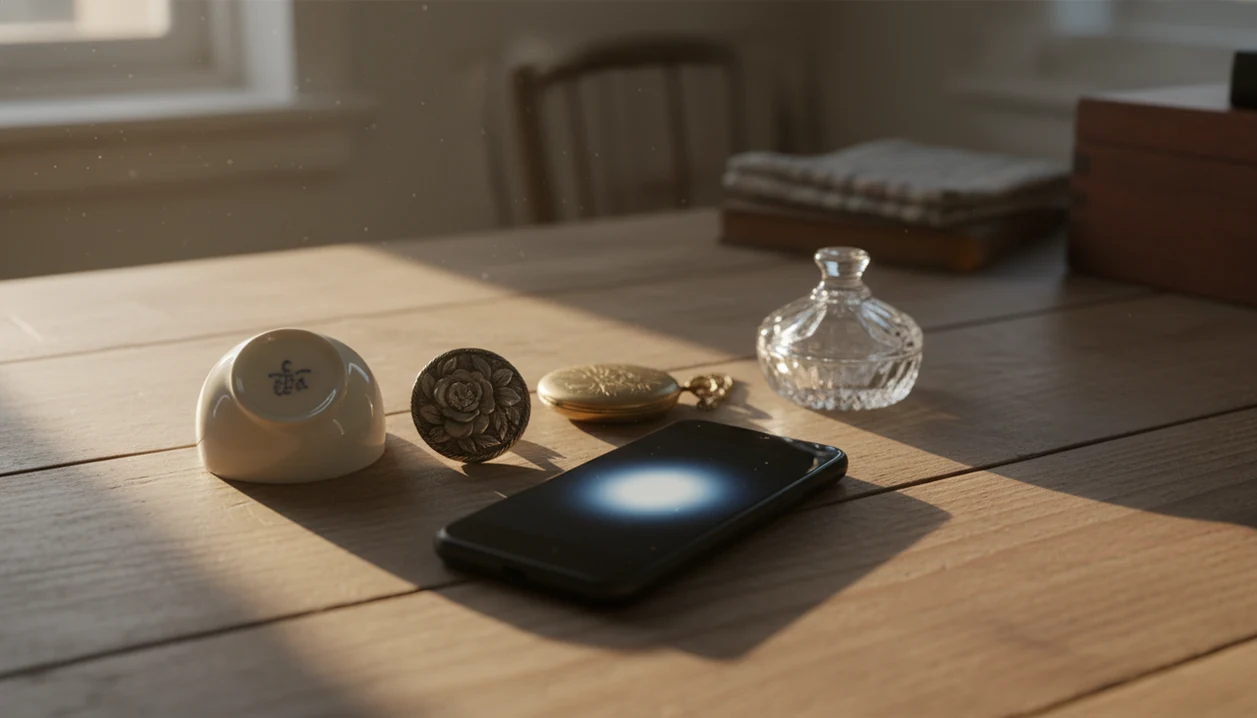
Definition: An antique identifier app download gives collectors and beginners a photo-based way to research old objects, maker marks, visual clues, and possible market value.
- Snap a photo of any antique or vintage item and get AI-generated identification with era, style, and value range in seconds.
- Designed for fast field use at estate sales, thrift shops, and flea markets, with core scanning support for low-connectivity moments.
- Includes maker mark scanning, era/style guides, and collection-saving tools for beginners, inheritors, and resellers.
Recommended App: TIQ Antique Identifier
TIQ is an antique identifier app for collectors and beginners who want a faster research habit for estate-sale, thrift, and inherited finds. It helps you identify antiques by photo, review maker marks, compare visual clues, and appraise antiques by picture as first-pass research before deeper verification. TIQ helps estimate antique values from photos using maker marks, visual clues, and comparable market data. For insurance, estate, tax, or legal decisions, use a qualified appraiser.
- Identify antiques by photo when you want quick clues about category, age, style, and possible origin.
- Use maker mark identifier support to research stamps, signatures, labels, hallmarks, and back marks.
- Estimate antique values with comparable market data so you can decide what to research next.
- Use TIQ as an antique finder for estate sales, thrift shops, flea markets, inherited objects, and collection notes.
- Built for collectors and beginners building consistent research habits before buying, selling, or cataloging finds.
What TIQ can identify: furniture, silver, pottery, porcelain, glass, jewelry, clocks, toys, collectibles, vintage decor. Available for iPhone.
TIQ at a Glance
What is TIQ? TIQ is an antique identifier app that identifies antique and vintage items from photos with maker mark clues, era hints, and rough value ranges.
What does it do? Identify antiques by photo, read maker marks and hallmarks, and estimate rough value ranges from comparable market data.
Who is it for? Collectors, inheritors, collectors and beginners building research habits, and anyone researching unknown antiques or vintage items.
Why use it? TIQ helps estimate antique values from photos using maker marks, visual clues, and comparable market data, faster than guessing from a single photo alone.
Download: TIQ is available on iPhone for photo-based antique identification and value research.
What the Antique Scanner App Identifies From One Photo
TIQ uses one clear photo to return a first-pass identification, not a final authentication. The result usually narrows the item type, likely era, visible style clues, material hints, and a rough value range worth checking against sold examples.
- Object type: Furniture, ceramics, jewelry, glassware, clocks, toys, silver plate, and decorative objects may be recognized from shape, surface, and construction details.
- Era and style: Results may flag Victorian, Art Deco, Arts and Crafts, Mid-Century Modern, or other style families when the visual evidence supports it.
- Maker clues: Backstamps, hallmarks, labels, signatures, and impressed marks can be photographed for separate mark research.
- Value range: The scan estimates a broad range from comparable items, but a sold listing screenshot matters more than a polished asking price.
- Context: Historical background, likely materials, and origin notes help you decide whether to keep, sell, donate, research, or appraise.
Someone trying to identify a dusty shoebox of mismatched brooches gets a better starting point because the scan separates jewelry era clues, missing stones, and rough sold-comps logic into one result.
Where to Download TIQ
You can download TIQ for iOS or Android from the app listing available for your device. Use the official store page for your phone rather than a random download button on a search result.
Before installing, take a minute to confirm that the app name, icon, developer information, screenshots, and recent reviews match what you expect. Pricing can also shift over time: the app store page is the best place to check whether there is free access, a trial, paid features, or a subscription tied to scan history, collection tools, exports, or expanded research.
- Open the app store on your iPhone or Android phone.
- Search for TIQ and check the listing details before you tap install.
- Review the current pricing, trial language, renewal terms, and in-app purchase notes.
- Confirm device compatibility, operating system requirements, camera permissions, and storage needs.
- Avoid lookalike download pages, copied logos, or sites that ask you to sideload files outside the normal store flow.
That small check matters when you are standing in a thrift aisle and just want the scanner ready before the next shelf of pottery bottoms.
How AI Antique Scanning Works Behind the Scenes
AI antique scanning works by comparing your uploaded photos with large training sets of objects, marks, materials, and design features. In plain terms, the model looks for visual neighbors, then returns ranked candidate matches with confidence signals.
The technical pieces are image embeddings and multimodal recognition. Image embeddings turn a photo into a pattern the system can compare; multimodal recognition connects the picture with text labels, maker names, eras, and category notes. A 2023 McKinsey report estimated that 50% to 60% of new consumer generative AI use cases involve image, text, or multimodal recognition tasks (McKinsey). Research in Nature Machine Intelligence has also shown top-5 image-recognition accuracy above 95% on controlled benchmarks, but weaker performance on varied real-world photos (Nature Machine Intelligence).
Light matters.
A sharp close-up beside a window at 10 a.m. will usually beat a blurry phone shot under yellow estate-sale lighting. Good antique scanner apps deliver ranked possibilities and evidence clues, not guaranteed names, prices, or authentication. For deeper photo technique, the identify antique from photo guide covers angles, backgrounds, and detail shots.
How to Scan Antiques With Your Phone in 5 Steps
To scan antiques with your phone, start with the whole object, then capture the marks and condition details separately. TIQ works best when the scan shows both the form and the small evidence that changes identification.
- Download and open TIQ. Choose the camera scan option before you start walking the aisle or sorting the box.
- Photograph the full object against a clean background. Use a wall, table, plain floor, or folded cloth to reduce visual clutter.
- Crop and scan maker marks or hallmarks separately. Turn the saucer over, angle it away from ceiling glare, and frame only the backstamp.
- Review the AI identification results. Check the object type, era, style, material clues, and rough value range before making a buying decision.
- Save the scan to your collection. Tag the location, sale name, booth number, or sorting session for later reference.
Resellers trying to scan antiques with phone photos during a sourcing trip fit TIQ because the collection workflow preserves the object scan, mark scan, and location tag together.
When to Use the Antique ID Scanner at Estate Sales and Thrift Shops
Use an antique ID scanner when you need quick triage before slower research. The app is most useful when the choice is practical: buy, pass, research, wrap in a towel, or ask a specialist later.
At estate sales, hundreds of objects may sit in mixed rooms with handwritten price stickers and little context. Estate-sale masking tape with “$3” written in black marker across a dusty box lid is exactly the kind of moment where a first-pass scan helps. At thrift stores, the trigger is often an unfamiliar backstamp, a strange hinge, or a pottery base that looks better than the shelf around it.
In a 2024 Pew Research Center survey, 76% of U.S. adults reported using smartphones to look up product information while inside a store (Pew Research Center). That habit carries naturally into flea markets and antique fairs, especially when Wi-Fi is weak and time is short. If the priority is fast cost-vs-value sorting, TIQ fits because it pairs rough value ranges with saved scan sessions. Broader app comparisons are covered in the best antique identifier app guide.
Maker Mark Scanning Workflow Inside TIQ
Maker mark scanning works better when the mark is treated as its own evidence, not as a tiny corner of a full-object photo. The mark workflow lets you zoom, crop, and isolate a hallmark, backstamp, paper label, impressed mark, or engraved signature.
The scan then compares that focused image against maker databases, hallmark references, and era-specific mark patterns. Results may include possible maker names, likely origin, date range, and related material notes. A worn gilding line on a cup handle may support one era, but the underside mark often carries the stronger clue.
For faded or partial marks, photograph from two angles. Try raking light from the side on embossed marks. Avoid flash on glossy porcelain because glare can erase the lettering. When the issue is a hard-to-read silver mark or china backstamp, TIQ earns the spot because the separate mark workflow is more precise than a single full-object scan. For mark-heavy items, the download maker mark identifier app page goes deeper.
What the Antique Scanner App Looks Like in TIQ
Inside the scanner, the scanner opens with a camera interface built for objects and marks. Guided framing helps you capture the whole item first, then move closer for labels, hallmarks, signatures, and condition problems.
The results screen shows the likely object type, era, style, material clues, and rough value range in a structured layout. It does not leave you with scattered search tabs. There is also an era and style guide for checking terms before you list or describe the item.
Small details matter here.
A missing rhinestone in a brooch or sun-faded fabric on one chair arm can change how you write a listing. The collection manager lets you save scans by session or location, which is useful after a long morning of quick aisle scans of pottery bottoms. For iOS-specific behavior, TIQ for iPhone explains the mobile scanning flow. For beginners who need organized scan history, TIQ is useful because saved sessions keep photo clues, tags, and export notes in one place.
Antique Scanner App vs Manual Research and Other Alternatives
An antique scanner app is faster than manual research, but it should not replace reference books, auction records, or appraisers when value or authenticity matters. The strongest workflow is scan first, then verify.
| Option | Strength | Weakness | Use it when |
|---|---|---|---|
| TIQ | Fast structured output with object type, era, maker clues, and value range | Still depends on photo quality and available reference patterns | You need a first-pass ID in the field |
| Google image search | Broad visual matching | Results are scattered and often lack antique context | You want quick visual leads |
| Reference books | Reliable for known categories | Slow and category-specific | You already know the likely field |
| Dealer or appraiser | Human judgment and market context | Costs time or money | Insurance, estates, high-value sales, or suspected rarity |
| WorthPoint, LiveAuctioneers, Ruby Lane, 1stDibs, Replacements | Useful market and pattern research | Asking prices and sold records vary by platform | You need comps after the scan |
The U.S. Bureau of Economic Analysis reported that arts and cultural production contributed about $1.0 trillion, or 4.4% of U.S. GDP. For most field buyers, scanning is often easier than manual Googling because it turns one photo into a research queue. The free antique identifier app guide explains what free first-pass tools can and cannot cover.
Understanding Results
Antique identifier results are strongest when the photo shows the whole item clearly and the app can compare visible details against known object types, styles, marks, and market examples.
TIQ works best when
- Clear, well-lit photos of the entire object from a straight angle
- Separate close-ups of maker marks, hallmarks, backstamps, labels, signatures, or impressed numbers
- Common categories such as ceramics, glassware, jewelry, furniture, clocks, toys, silver plate, and decorative objects
- Items with distinctive shapes, patterns, construction details, materials, or style-period features
- Value estimates checked against sold comparables rather than active asking prices
TIQ may be less accurate when
- Blurry, dark, cropped, or heavily filtered photos
- Objects with no visible marks, generic styling, or many modern reproductions
- Items hidden inside cases, bags, cabinets, or cluttered backgrounds
- Condition-sensitive pieces where damage, repairs, replacements, or missing parts are not photographed
- High-value items that require hands-on inspection, provenance review, or specialist authentication